
A tutor profile families trust
When your quote reaches a family, the next thing they open is your profile, and most decide there. What they read, in the order they read it, and how to fill in each part — including what has changed since October.

When your quote reaches a family, the next thing they open is your profile, and most decide there. Here is what they read, in the order the page shows it, and how to make each part count. Nothing here is a trick; it is the same list your profile page shows you under "see your profile as a family does".
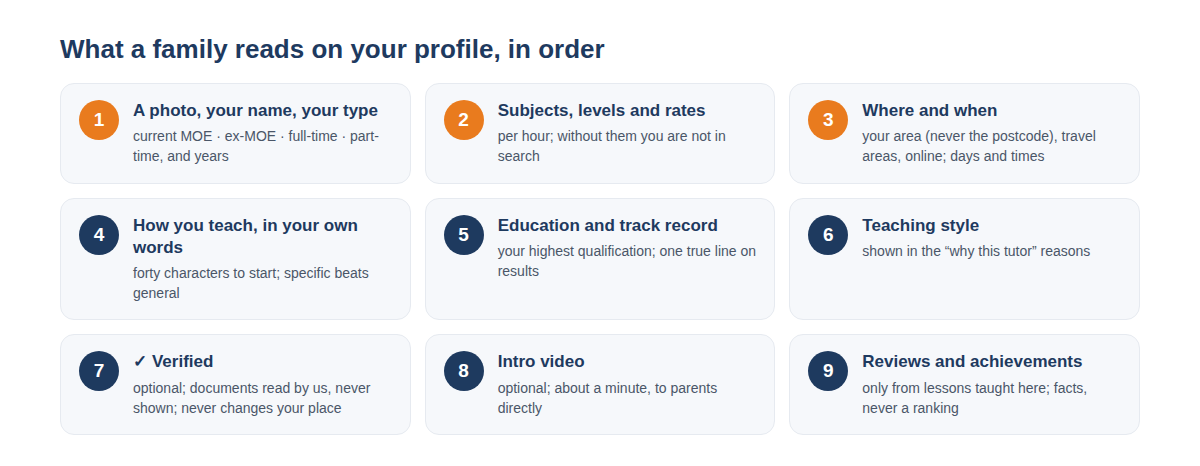
1. A photo, your name, and what kind of tutor you are
Families skip profiles without a face. A plain photo in daylight, looking at the camera, is enough. Under your name sits the type you chose — current MOE teacher, ex-MOE teacher, full-time tutor or part-time tutor — and your years of experience. Families can say which types they prefer on a request; every tutor still sees the request and may quote, but a preferred type is listed first and marked, so choose the one that is true.
2. Subjects, levels and rates
Without these you do not appear in search at all. A rate per hour for each subject, at the levels you teach it. Families compare rates across the tutors who quoted, so a rate that sits inside the usual range for the level gets read; one far above it gets a reason asked for, and one far below it gets doubted.
3. Where and when
Your area comes from your home postcode, and only the area is ever shown — never the postcode. Add the areas you travel to, and tick online if you teach online; families filter by both. Then the days and times you can teach: families filter by day and time, and a tutor with no times listed is filtered out.
4. A few lines about how you teach
The first thing a family reads after your name. Up to 1,000 characters, and forty are enough to start. Say who you teach best, how a typical lesson runs, and one result you are proud of. Specific beats general: "most of my P6 students move up a grade by the prelims" says more than "passionate and patient". Contact details are not allowed here, however they are written, and the text is checked.
5. Education and track record
Your highest qualification, and one line on results you have helped students reach. Families compare these across tutors more than anything else below the rate. One true line beats three vague ones.
6. Your teaching style
Pick the description closest to how you teach, up to two words for your manner in class, and the things you do often. These appear in the "why this tutor" reasons on Find a Tutor, and families who mention special needs see whether you have SPED experience.
7. The ✓ Verified tick
Optional. Upload up to three documents that show your qualifications under your real name — certificates, transcripts, MOE service records. Our team reads them; families never see them. The tick appears beside your name on your profile and in search. It never changes your place in the list, and the page says so.
8. An intro video
Optional, and the quickest way to be remembered. About a minute, to parents directly: who you are, how you teach, what a first lesson looks like. Phone held sideways, good light, a quiet room. MP4 or MOV, up to 50 MB; it is checked before it goes live.
9. Reviews and achievements
Only families who took lessons with you can review you, so your first reviews come from your first students. You can post one public reply to each review; write it for the next family reading it. Achievements are facts from your record — lessons completed, families who stayed, ratings — shown as small marks on your profile. They never rank you against another tutor, and you can hide any of them.
One tick before you quote
Parents trust us with their children, and we cannot run police checks on private tutors in Singapore, so every tutor confirms a short declaration to us before their first quote. It takes a minute and is asked once.
Share it
Your profile has a Share on WhatsApp button. Send it to anyone who asks about you. If you already teach a family outside Learn Now, invite them from My Students — they come in under the onboarding fee, not a trial.
Open your profile, or create one if you are new. If something on this list is wrong, or you think the order is different, tell us — the Feedback button reaches us directly.